About
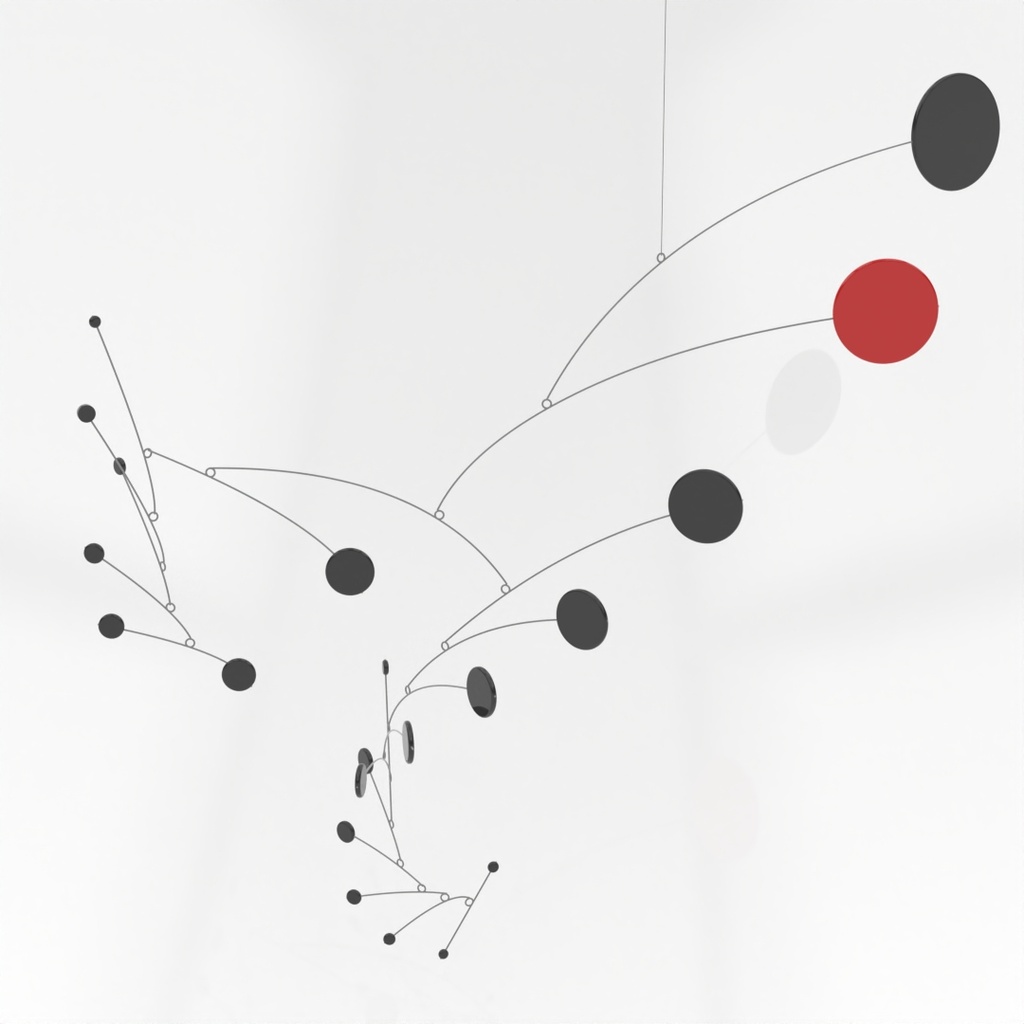
Alexander Calder invented the mobile as a sculptural form in the 1930s. Mobiles are constantly in motion, rearranging and recomposing based on the effects of the wind and human touch. This added element of time differentiated Calder's work from all other sculptural forms of the time.
Often seen hanging above cribs in nurseries, beautiful mobiles are anything but child's play to create. In this class, you'll experience what it might have been like for Calder to invent, create, and enjoy this dynamic sculptural form.
Instructor Brian Gillespie is a sculptor, programmer, and engineer who creates using wood, clay, metal, glass, and paper. As a member of the Rhino software development team since its inception in the 1990s, Brian has seen the world of computer-aided design transform how humans make things. He uses computers and digital fabrication tools such as milling machines, 3D printers, laser cutters, plasma cutters, and vinyl cutters to design and create his work. He's most interested in work that straddles the technical and the human — work that is difficult or impossible to do by hand, yet also impossible to completely automate.
Brian has studied many of Calder's works, read books, and built his own mobiles. There are several elements to mobiles, each adding its own challenge:
- Mechanical balance: Getting different objects to balance in space takes practice and planning, and sometimes some math.
- Visual balance: Adding visual balance with size, color, and proximity adds to the challenge.
- Grace: The wires that support the weighty paddles make sense. How they curve, where they point, and where they attach all influence the grace and visual balance.
- Dance: Is the movement pleasing? If not, how can it be improved?
We'll start with quick experiments using easy-to-work materials to gain intuition for balancing a mobile. Working quickly will help us develop hand skills of working with wire, mechanical connections between materials, and how to connect elements of the mobile together. We'll strive for visual balance and grace as we assemble quickly, allowing our mistakes to blossom into effective creations later.
We'll use Rhino to draw shapes, and cut them out using a laser cutter. As class progresses, we'll dive into the math and physics of balance, and learn how to predict how forms may end up balancing. A demonstration of using Rhino and Grasshopper to aid in the balancing act will be presented, and those tools shared with participants.
We'll dance back and forth between the computer and hand craft as we hone our compositions to achieve visual balance and graceful wire structures.
After a few days, you'll employ larger gauge wire and materials such as painted plywood or acrylic sheet, choosing to either work digitally or intuitively to build up one or more final mobiles. You also may choose to include found or 3D printed objects into your final works.
The Handwork workshop will conclude with an exposition of all the creations hanging and dancing in the studio.
Details
- Experience with Rhino is encouraged, but not required.
- A laptop computer that can run Rhino 8 for Windows or Mac is required.
- Strong hands for bending and forming wire is essential.
Class Policies
Ages 14 and up are welcome.