Skip to Content
Sold Out

Electronic & Technical Arts: Intro to Laser Cutter SOFTWARE: LightBurn (At BARN)

Join us for this 24 hours Event Every year we invite our community, partners and end-users to come and meet us! It's the ideal event to get together and present new features, roadm

Add to calendar:
Electronic & Technical Arts: Intro to Laser Cutter SOFTWARE: LightBurn (At BARN)

Electronic & Technical Arts: Intro to Laser Cutter SOFTWARE: LightBurn (At BARN)

Join us for this 24 hours Event Every year we invite our community, partners and end-users to come and meet us! It's the ideal event to get together and present new features, roadm

Tuition Assistance and Policies
See more
Cancellation & Other Policies
See more
Sold Out

About

*This class is for invited past registrants of the "Intro to Laser Cutter" class. A Registration code is required and has been emailed to past students. We will be offering this class to the public starting in July.

Learn the basic features of LightBurn, essential software that controls both of our new laser machines. This is the software you'll use whether you are quickly cutting out some parts for your project or are fine tuning your complex etching. LightBurn software replaces RetinaEngrave you may have used previously.

This class will get you started and will help you implement your own creative laser designs. This class is not a substitute for "Intro to the Laser Cutter".

Who should take this class?

If you took "Intro to the Laser Cutter" on the Full Spectrum Laser, this class can get you up and running with our new laser cutters. If you've taken "Intro to the Laser Cutter" on the new lasers and are ready to see how to get more from LightBurn, this class is for you. If you used Inkscape and RetinaEngrave with the FSL and didn't like the software, this class is for you. If you loved using Inkscape and RetinaEngrave, you'll learn how LightBurn fits into your workflow.

The class covers the basics of LightBurn in the laser cutter workflow. It also covers setting laser parameters for cutting and engraving, importing your designs, vector graphics (line art) vs raster graphics (pixel art), manipulating shapes and tuning images, using the laser libraries, and previewing your work.


Prerequisite: Intro to Laser Cutter

Class size is limited to 4.

  • Students should bring a laptop with LightBurn downloaded: https://lightburnsoftware.com/pages/trial-version-try-before-you-buy
  • BARN will be practicing safety measures for the health and well-being of all participants, in accordance with state and CDC guidelines. Students and instructors will be required to wear masks, wash or sanitize hands frequently, maintain a distance of six feet between individuals, and stay home if they are sick. More details can be found here.
  • Please read ETA's specific safety protocols here.

Instructor:

Mike Schrempp is enjoying retirement after spending 39 years in the design and development of computers.  He’s done product development, mechanical part design, engineering management, and architected servers used in big data centers at Amazon and Microsoft.  Now he enjoys making things -- from wood, plastic, metal, food, and Python code -- and showing others some of the tricks he’s learned along the way.


Related Events

Check out other events you might be interested in!
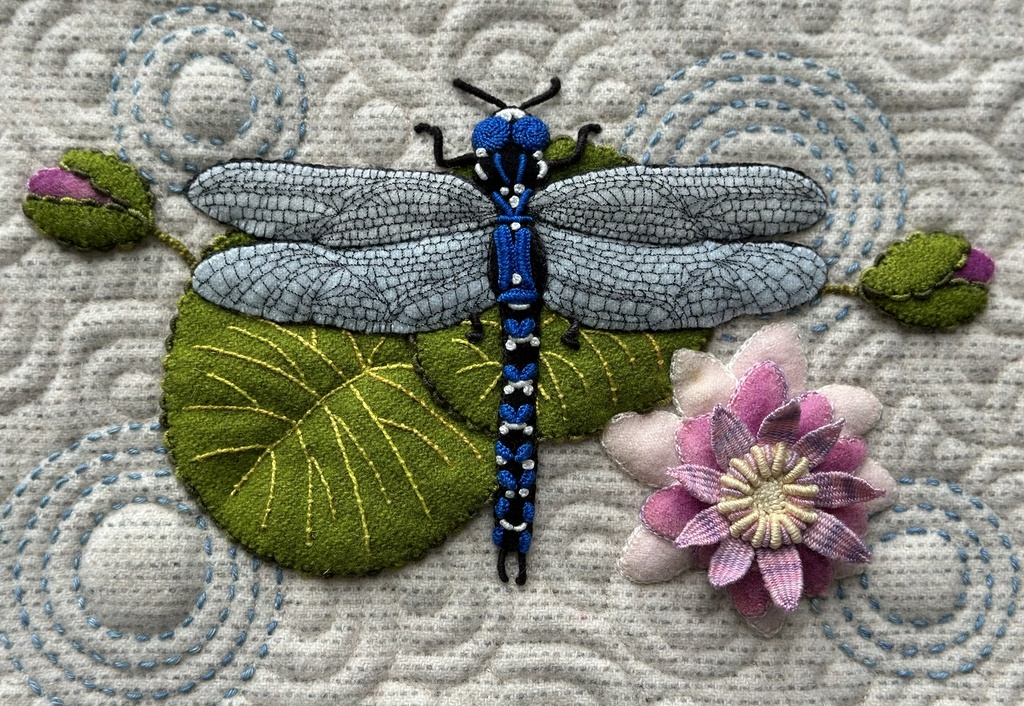
Embellished Wool Appliqué and Embroidery

Lisa Mortell's quarterly workshop offers the best of both worlds: new techniques and one-on-one support where you need it most.

November 19, 2027

Embellished Wool Appliqué and Embroidery

Lisa Mortell's quarterly workshop offers the best of both worlds: new techniques and one-on-one support where you need it most.

August 20, 2027

Embellished Wool Appliqué and Embroidery

Lisa Mortell's quarterly workshop offers the best of both worlds: new techniques and one-on-one support where you need it most.

May 21, 2027

-*