Skip to Content
Registrations Closed

CNC 104: Make a 3D Oval Box on the CNC

This class has prerequisites; please see below. Learn to operate BARN's Laguna CNC woodworking router and go home with an oval lidded box with custom engraving. Open to students wh

Starts
Ends
Add to calendar:
CNC 104: Make a 3D Oval Box on the CNC

CNC 104: Make a 3D Oval Box on the CNC

This class has prerequisites; please see below. Learn to operate BARN's Laguna CNC woodworking router and go home with an oval lidded box with custom engraving. Open to students wh
Pricing
Tuition Assistance and Policies
See more
Cancellation & Other Policies
See more
Registrations Closed

About

This class has prerequisites; please see below.

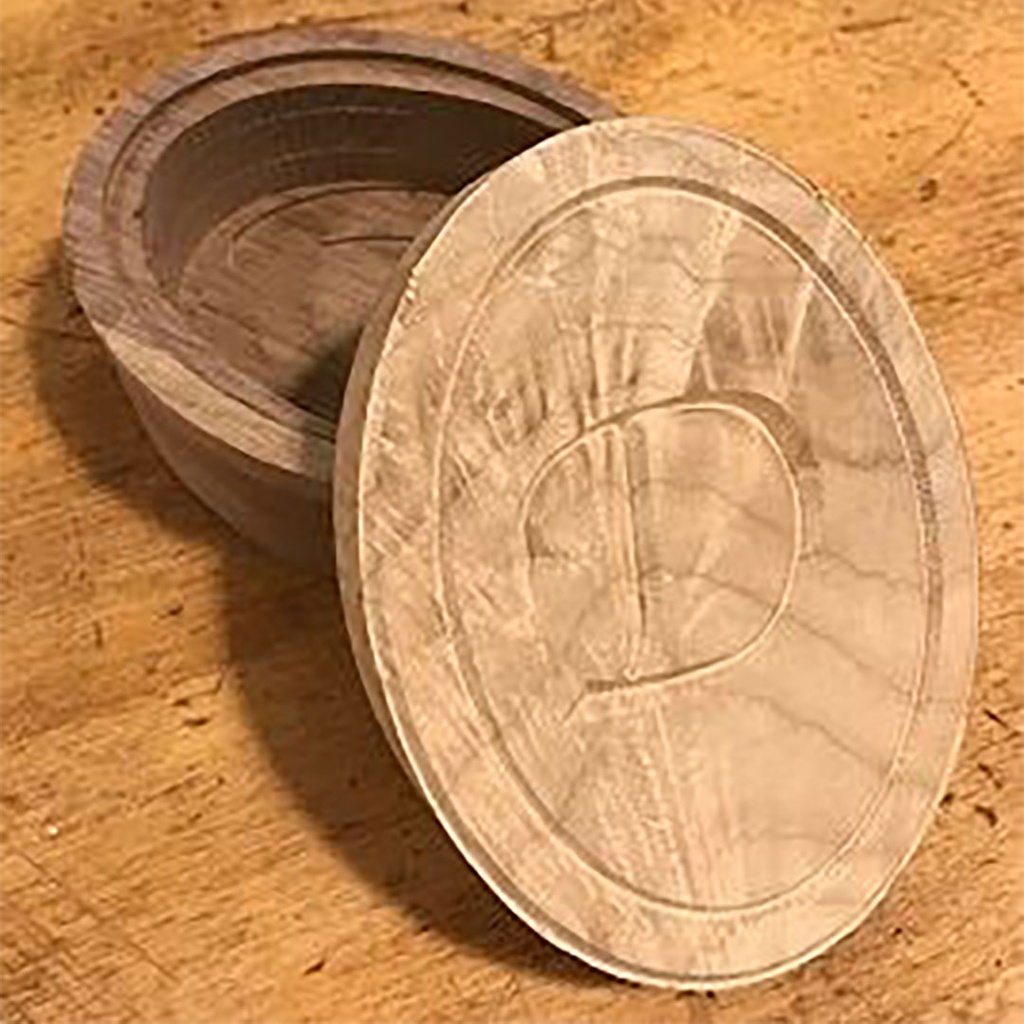
Learn to operate BARN's Laguna CNC woodworking router and go home with an oval lidded box with custom engraving. Open to students who have beginning skills in Fusion 360, this class will introduce you to this design program’s CAM (computer assisted machining) functions.

At the first session in the ETA Studio, you will work in Fusion 360 to design your box. Starting with a standardized design, you will tweak the design and create custom engraving to add to the lid. At the second session in the Woodshop, you will use the CAM functions in Fusion 360 to develop tool paths for the router, output G code to run the router, and use the Laguna CNC to cut out and embellish your wooden box.

You will make the box from maple and walnut. With the lid, the box will be 5¼ inches long, 4 inches wide and up to 3 inches high. At the end of class, your box will be ready for sanding and finishing.

Details:

  • Prerequisites: Orientation to the Woodshop, Woodshop Tool Safety Checkout 1 (Multiple sessions are listed on the Woodworking Calendar) and Intro to Fusion 360 CAD. Please login to your BARN account and click on "My event registrations" to ensure you have completed the required prerequisites before you register for this class.
  • You must bring a laptop computer with a mouse and a working copy of Fusion 360 already downloaded to that computer.
  • Please click here for BARN's current COVID-19 health & safety protocols. 

  • You must wear safety glasses and closed-toe shoes, tie back long hair, and avoid loose-fitting clothing and jewelry. We recommend bringing your own safety glasses.

  • BARN is committed to accessibility. Tuition Assistance is available - click here to fill out the simple application before registering for a class. For those who might need physical assistance, please learn about BARN's Companion Program here.

Instructor Bio: Doug Salot has adopted Fusion 360 as a lifestyle. He has used it to design signs, cabinets, and replacement parts for various broken things. You'll often find him in ETA using the laser cutter or in the woodshop carving things on BARN's CNC router.

----------------------------------------------------

Related Events

Check out other events you might be interested in!

Open Studio: Slow-Stitch Wednesday

Bring your handwork projects and stitch with your BARN friends.

December 30, 2026

Open Studio: Slow-Stitch Wednesday

Bring your handwork projects and stitch with your BARN friends.

December 23, 2026

Fiber Arts Studio Orientation

Learn about the Fiber Arts Studio and, if you're a BARN member, have your fob activated for daily studio access.

December 23, 2026

-*