Skip to Content
Registrations Closed

CNC 103: Making Inlays Using VCarve Pro and CNC Router

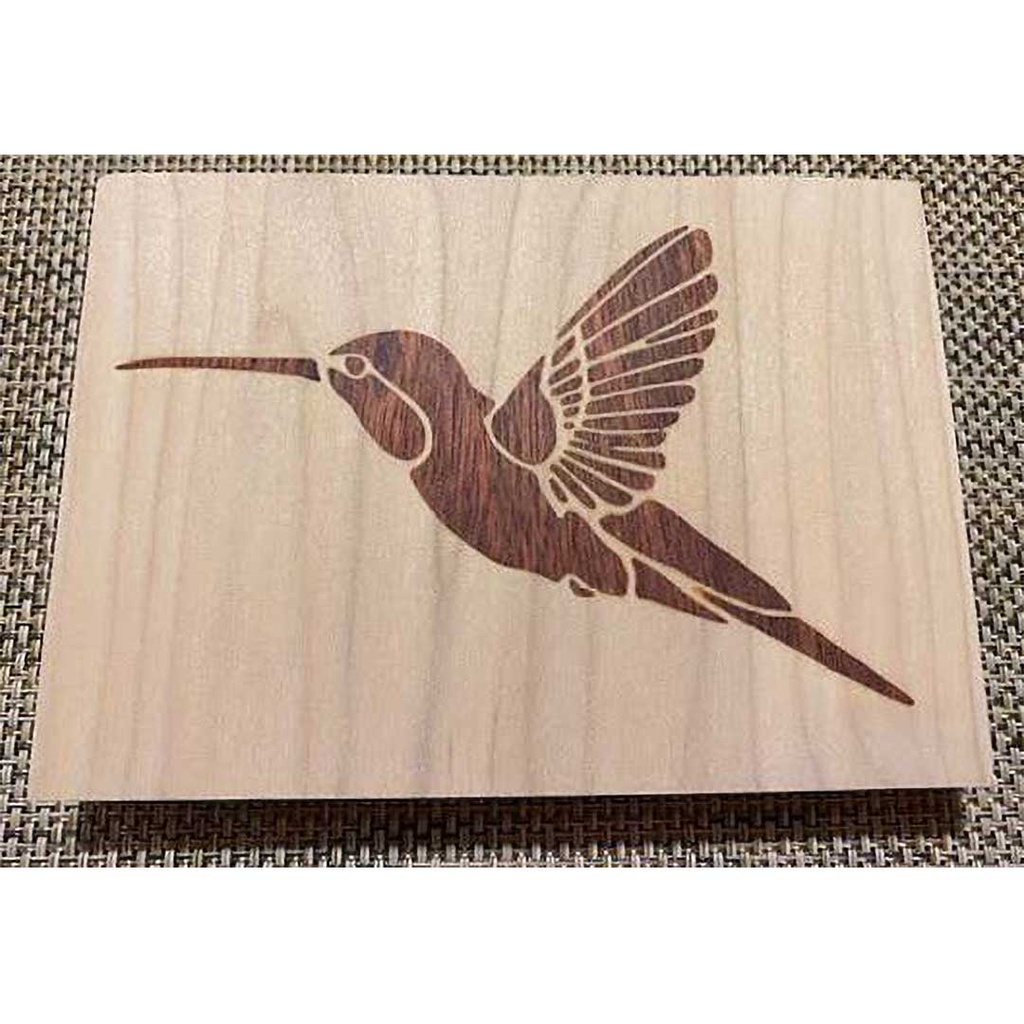
<p>Use the VCarve Pro software program to design and cut an inlay on the Woodworking Studio's CNC router. </p>

Starts
Ends
Add to calendar:
CNC 103: Making Inlays Using VCarve Pro and CNC Router

CNC 103: Making Inlays Using VCarve Pro and CNC Router

<p>Use the VCarve Pro software program to design and cut an inlay on the Woodworking Studio's CNC router. </p>
Pricing
Tuition Assistance and Policies
See more
Cancellation & Other Policies
See more
Registrations Closed

About

In the first session, the class meets in the Tech Lab to review VCarve Pro, a software solution for creating and cutting parts on a CNC (computer numerical control) router, review/finalize design of inlay, and set up the CNC project.

The second session shifts to the Woodworking Studio for cutting, gluing, and instruction on what to do after the glue has dried.

Details

  • You'll need a laptop computer with a mouse and a working copy of VCarve Pro 11 already downloaded (after you're registered, the instructor will email you a link to download the latest free trial version from Vectric). The software requires a PC or a MAC with Windows installed. There is no time during class to download the program.
  • If you have questions or run into problems downloading, email the instructor for help.
  • If you don't have a laptop you can bring to class, you may use a Tech Lab desktop computer with the software already loaded.  

Details

A $30 material fee, included in the class cost, covers all needed materials.

Project

The inlay you create will involve cutting the materials (walnut and maple) and gluing them in the Woodworking Studio. The instructor will then show you how to cut off excess inlay material and sand the inlays using a sample cut so you can do the same to your project at your leisure after the glue has dried.

Prerequisites

CNC 102: VCarve Pro for CNC Routing 

Class Policies

  • Ages 14 and up are welcome.
  • You must wear safety glasses and closed-toe shoes, tie back long hair, and avoid loose-fitting clothing and jewelry. We recommend bringing your own safety glasses. 
Instructor
Al Ebken

Al is a retired ocean engineer with many years of computer and computer-aided design experience.

Related Events

Check out other events you might be interested in!

Woodworking Tool Safety Checkout 2

Get checked out on the Woodworking Studio's major power tools not covered in Tool Safety Checkout 1.

December 21, 2026

Woodworking Open Studio

Work on projects of your own in an informal setting with a safety monitor and woodworkers of varying skill levels.

December 20, 2026

Woodworking Tool Safety Checkout 1

Learn the basic safety principles of five key tools in the woodworking shop.

December 17, 2026

-*