CNC 101: Make a Sign
Learn the basic features of VCarve Pro, a popular program used for computer-controlled routers.


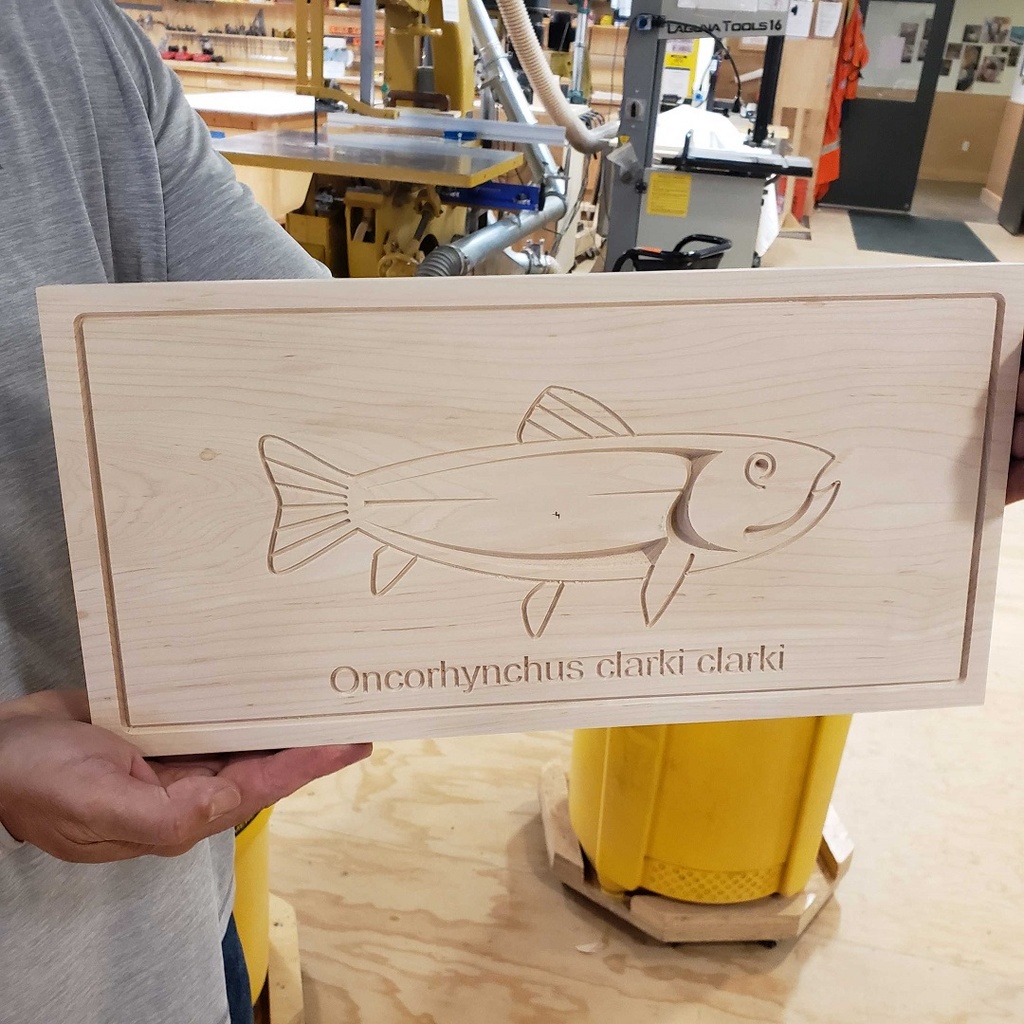
VCarve Pro is used to make signs, engravings, intricate inlays, and imported 3D shapes and models. It's easier to learn than Fusion 360, the other 3D design program taught at BARN, and can be used for projects on both the large CNC (computer numerical control) router in the Woodworking Studio and the small CNC router in the Tech Lab.
Session 1 is in the Tech Lab so you can use the VCarve Pro software to design an 8-inch by 16-inch sign and prototype your design on the laser cutter. In Session 2, we meet in the Woodworking Studio to carve it on the CNC router.
Details
- You'll need a laptop computer with a mouse and a working copy of VCarve Pro 12 already downloaded (after you're registered for the class, the instructor will email you a link to the latest free trial version from Vectric). The software requires a PC or a MAC that has Windows installed. There is no time during class to download the program.
- If you have questions or run into problems downloading the program, email the instructor for help.
- If you don't have a laptop you can bring to class, you may use a Tech Lab desktop computer with the software already loaded.
Related Events
Check out other events you might be interested in!

Teen Night
Teens (grades 7-12) gather for a free evening of art, friends, and creativity (registration opens at noon April 30).
May 14, 2027
Teen Night
Teens (grades 7-12) gather for a free evening of art, friends, and creativity (registration opens at noon April 9).
April 23, 2027

Steam-Bending with Yuri Kobayashi
Make a one-of-a-kind floor lamp as you explore the magic of using steam to make wood pliable.
April 12, 2027